Author: WebDeb

  • Fix: Dreamweaver FTP Error NetworkSolutions & GoDaddy

    Fix: Dreamweaver FTP Error NetworkSolutions & GoDaddy

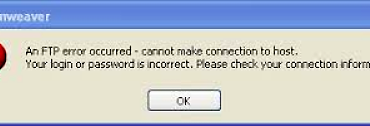
    Two clients signed up for 2 different web hosts, and Dreamweaver had a problem with FTP for both. Many forums blame it on Dreamweaver, but for me the fix was to reset the FTP password.

    Web host documentation says:

    FTP Password: Your hosting account password.

    It does not mention going into the FTP user and setting it. For NetworkSolutions, I simply re-entered the hosting account password. For GoDaddy I tried the same, but it claimed that it was not secure enough. Adding a punctuation character at the end solved the problem.

    I searched for help from many forums and blogs but found no mention of this simple fix for getting Dreamweaver (CS4) FTP to work.

  • Ann Kinkade ~ Lucid Legacy Consulting

    Ann Kinkade ~ Lucid Legacy Consulting

    lucidlegacyconsulting.com

    Already well-established in her field, this client needed a website to create her client-base for her own consulting firm. Her name is as much SEO that is needed for launch.

    Responsive?  Definitely! (Enfold theme, Avia Framework)
    SSL: Yes
    Client Since: October 2013
    Found by: Google & attracted to other sites

    [testimonialswidget_widget tags=”zzKinkade” random=true paging=false]
  • Jules Wolf Pilates

    Jules Wolf Pilates

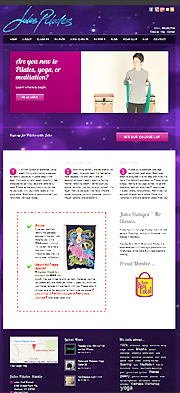
    Site image - links to design for Pilates studio site in Madison, WI
    JulesPilates.com

    JulesPilates.com

    Jules Wolf Stenzel opened her own studio for Pilates, yoga, meditation, events and all around wellness. In 2017 she opened a second studio on Atwood Avenue and now had a Westside/Eastside presence.

    Adding a second studio presents website design organization challenges. Both locations need to have their own landing pages but yet much content is shared. In this case each studio has its own class schedule and shopping cart the integration is via the API’s provided by the software packages which require a paid subscription.

    The new website is built in WordPress and is quite pretty (if I do say so myself!). At first we were using the DejaVu theme but it was abandoned by the author so basically packed up the stylesheet and moved to Striking. (It ends up in 2017 DejaVu theme is on the top 25 most attacked themes per WordFence statistics so it was a good thing we moved on.

    Responsive? Yes (Striking theme)
    Client since: 2005, redesigned in 2013 and again in 2016
    Referred by: self referral, this is repeat business (original site)

    [testimonialswidget_widget ids=”2296,2231,2228,1698,1629,1288,1166,1299,1298,1319″ random=true paging=false]
    Pilates Studio owner Jules Wolf Stenzel and Web lacky Deb Vandenbroucke at the grand opening
    Good Sites for Good People
  • How to recover pages from a bad backup

    How to recover pages from a bad backup

    Everyone makes mistakes. But what happens when you go to the backup and you can’t recover your web pages?

    I had a situation recently where I lost some of my WordPress blog pages. These are pages that I would be hard pressed to rewrite because I wrote them to remember my steps and to help others. Things that I do not have to do on a routine basis as a web designer.

    Then I ran into Google cache pages which are saved on Google much longer than you can imagine!

    Here’s what you can do:

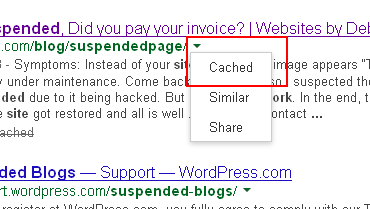
    • Search for your page in Google. Use as much of the URL as you remember. Look for the little triangle symbol at the end of the URL (see image at the top of this post)
    • Click on Cached page and the page will come up with a banner on the top. Notice you can then recreate your page with the same URL which is helpful for SEO and to minimize 404 error pages.
      how-to-recover web pages from-bad-backup
    • At this point you can save it locally from your web browser.
      Wordpress how-to-recover-from-bad-backup
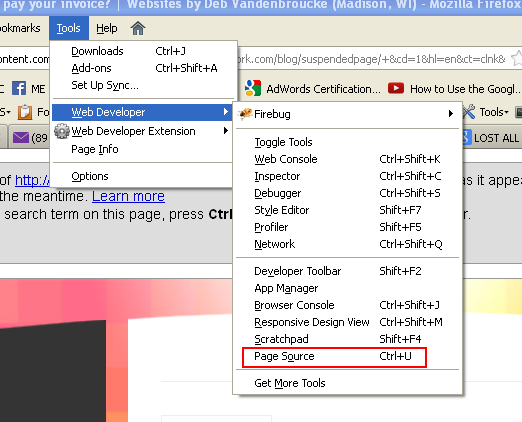
    • You can then recover your HTML from the local page or from the cached version using Firebug.
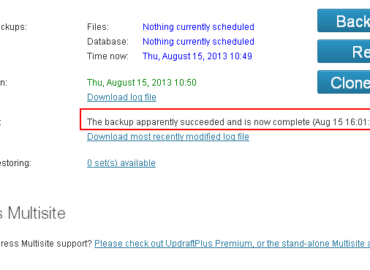
      BackupBuddy would not recover when I wanted to move from WPML to single site

    You might want to go to Google Webmaster Tools and tell them you fixed the problems.

    And this post is quite helpful in locating your pages. I wish I would have had a few of those tips when I was going through the process:  More on Google Cache pages

    Best of Luck to you!

  • WP Update Time Eaters

    WP Update Time Eaters

    Each year WordPress does a survey and asks what you least like about WordPress. I have been putting the same response which is keeping themes, plugins in synch with WordPress versions. Here is a ‘work flow’ example from something that occurred over the last couple of days.

    All I wanted was a new look for a website:

    • Paid for and installed a new WordPress theme
    • Tried the Live Preview – navigation did not work
      (Dashboard>Appearances>Themes)
    • Loaded theme onto a test site to try for real – yep, navigation does not work
    • Submitted  support request to theme maker
    • wait
    • Answer “please update everything then we will help you”
    • Downloaded new theme version to my computer, just came out this week
    • Updated WordPress theme
    • Tested Site – navigation still doesn’t work
    • Have to update WP version before support will investigate
    • This is for WPMU site, checked to make sure other site themes are ok for WP 3.6
    • Needed to Backup all site – !BackupBuddy no longer works for WPMU
    • Research, research
    • sleep
    • More research – looking for another backup solution
    • Installed 2 new backup plugins
    • Backed up site(s) in many ways
    • Updated WPMU network to 3.6
    • Test site – holy cow – IT WORKED!

    Now it’s time to really get to work.  I ‘simply’ added a new design theme and now it’s time to get it to look good.

  • BackupBuddy broken for MultiSite WPMU

    BackupBuddy broken for MultiSite WPMU

    Whoa, iThemes has disappointed us in a big way. BackupBuddy no longer works for WordPress MultiSite. In fact, it is not even showing up in my dashboard.  I receive emails from iThemes all of the time bragging about the latest news. But I did not hear one peep from them about BackupBuddy and Multisite WPMU no longer being supported.

    After reading what I could find – which was NOT MUCH. Installed and unInstalled a few plugins and found that UpdraftPlus might be the answer and why limit it to one backup – there is also BackWPup.

    UpdraftPlus

    I installed it, backed up my WPMU sites independently with UpdraftPlus.  Few settings, easy peasy.

    BackWPup

    I installed it, looked over a lot of settings, changed some, then backed up the entire ‘network’.

    For both free plugins there are Pro/paid versions and add-ons that might be good to use in the long run. I definitely need to understand the restore better.  For today it feels good that my sites are tucked away and at least to know what learning curve to jump on. One of these fine products deserve my money but it hurts to whip out that credit card since my investment with BackupBuddy was not insignificant.

    BackupBuddy is a fantastic product. I miss some of the features like “check for malware” and whatnot that it provides. I can  understand a company backing off of a promised feature, but it was very bad form to do it so quietly that it took a good client by surprise. Also the dashboard should give me some sort of clue as to what is going on with the plugin!  Makes you feel like you lost your mind… “didn’t I use this before?”

    This is what eats up our time, people! Surprises to plugins and themes are not fun.  But a big thanks to UpdraftPlus and BackWPupfor being out there! yah!
  • Site Suspended, Did you pay your invoice?

    Site Suspended, Did you pay your invoice?

    Symptoms:

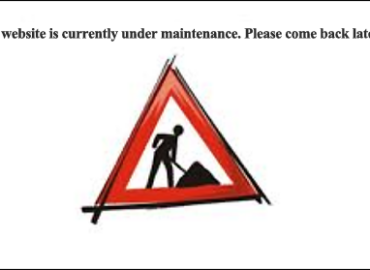
    1. Instead of your site showing, an image appears “This website is currently under maintenance. Come back later!”
    2. Your URL is being forwarded to http://YOURURL.com/cgi-sys/suspendedpage.cgi

    Diagnosis:  Invoice not paid to Hostgator web host.

    This interesting anonymous graphic slapped on a client’s site last week.

    I am the site admin and I did not put the site under maintenance. It happens to be one of the few sites whose owner does not want WordPress updated for some possibly good reasons.  The site is on WordPress 2.9.2 and at this writing, I am updating websites to 3.5.2. Thus and so I suspected the site could be suspended due to it being hacked. But no… it is simply a bill overdue.

    Dear Hostgator,

    I think you have great service but couldn’t you put a more helpful message on this website? How about adding a gator logo? How about some kind of hint or link to pay the invoice? It would actually resolve the problem faster.

    Thanks,

    Debwork

    In the end, the client paid the bill, the site got restored and all is well …


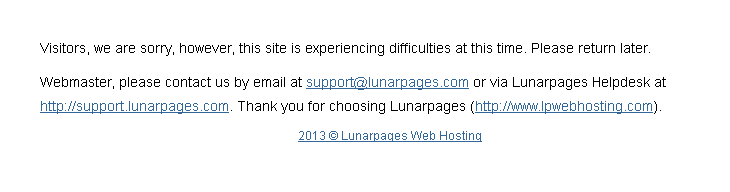
    New Addition: This is what your site looks like on LunarPaqes if you do not pay your hosting bill:

    What you see if you don't pay your LunarPages hosting bill
    A sign that your web hosting bill is overdue.
  • How to Add or Update Email Signature Yahoo

    How to Add or Update Email Signature Yahoo

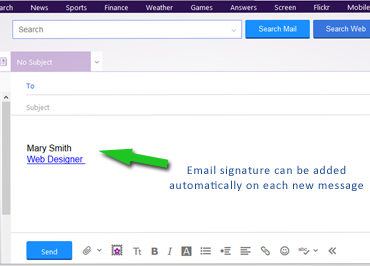
    Yahoo email went through an update in 2013. By request from a web client, here is how to Update or add an email signature with a hot link.

    1. Log into Yahoo Mail
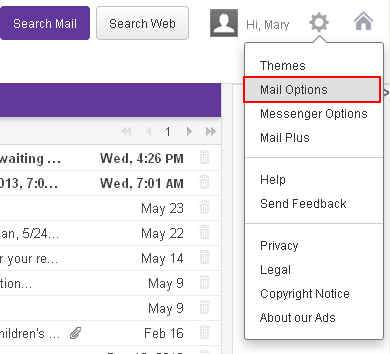
    2. Hover over the gear link in upper right and choose Mail Options:
      New Yahoo email menu
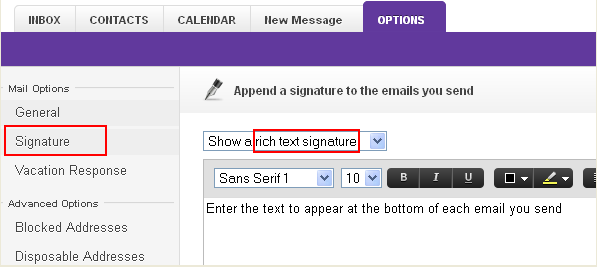
    3. In left menu choose Signature.  If you want a working link chose “Show a rich text signature“:
      Trick to make a hot link to your yahoo signature at the bottom of email
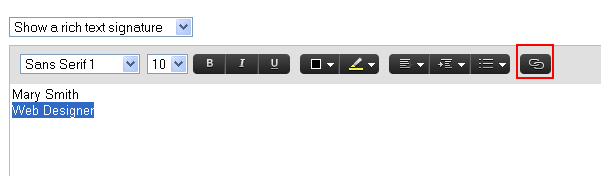
    4. Compose your signature. (The default text seems huge so you might want to adjust the font size. )Highlight the text that you want to be a hot link and click the link icon:
      Add hyperlink to Yahoo email signature
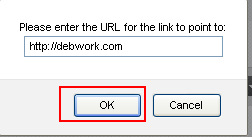
    5. Add your URL  and click OK
      the URL enter screen - yahoo email signature
    6. SAVE the signature
      SAVE button for yahoo email signature
    7. Compose a new email – your signature should be showing. If it is not, go back and SAVE the signature again (this happened to me). Two times was the charm.Yahoo email signature should show when you are composing the message
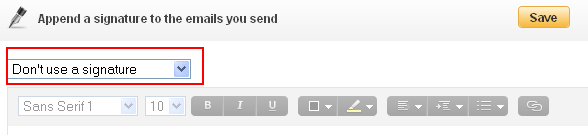
    8. To DELETE the signature, it is not good enough to remove the text and save, you have to chose the “Don’t use a signature” before you SAVE.You can't just blank out signature, you need to use this setting then save


  • Gail Nordheim Consulting LLC

    Gail Nordheim Consulting LLC

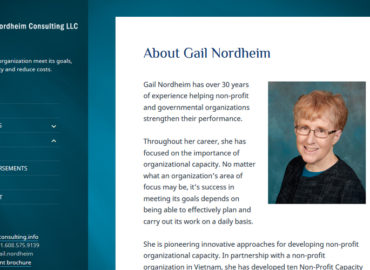
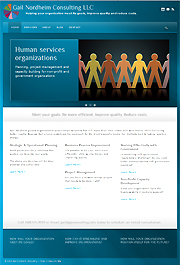
    Screenshot of website home page

    gnconsulting.info

    This site was for a consultant who helps human services organizations face day-to-day management challenges and to move into the future. She worked in the US and internationally especially Singapore.

    This is the third website I had the privilege building for Gail. In 2019 she changed her focus to working on climate change with Madison360.

    Responsive? Yes
    Client: 2008 – 2019
    Referred by: herself – this is repeat business
    Her previous html site was redesigned in 2013

    [testimonialswidget_widget tags=”zzGail” random=true paging=false]
  • Rosemary Zurlo-Cuva

    Rosemary Zurlo-Cuva

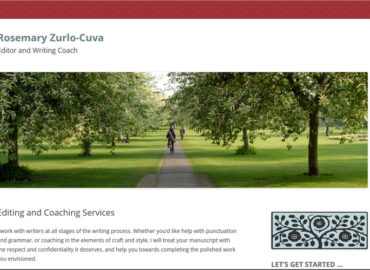
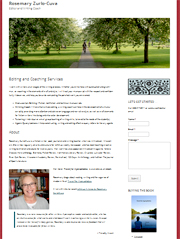
    Small image of web page links to web client's siteeditorandwritingcoach.com

    EditorAndWritingCoach.com

    One page websites are certainly not for all clients but many sites could be condensed. There are quite a few new one page themes with so much bling that attention to the content suffers.

    Responsive? Yes, WordPress with TwentyTwelve Theme.
    Client since: April 2013
    Referred by: Mutual friend and our Facebook connection

    Simple. Elegant. Yet does not feel too minimalistic.

    [testimonialswidget_widget ids=”2121,1668,1669,1671″ random=true paging=false]