Author: WebDeb

  • How to Add or Update Email Signature Gmail

    How to Add or Update Email Signature Gmail

    By request from a web client, here is how to update or add an email signature with a text hot link (hyperlink). If you would like an image link in Gmail, it is not hard but Gmail adds an annoying border around it. Here’s my trick on how to get rid of that.

    1. Log into Gmail
    2. Hover over the gear link in upper right and choose Settings:
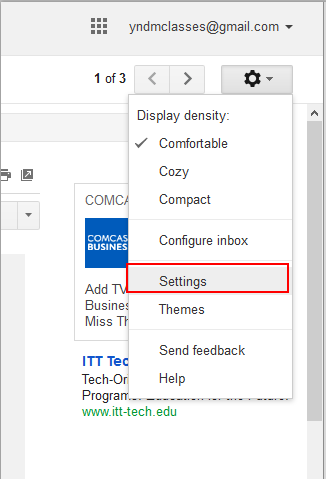
      How to get started with Gmail Signature gear then settings
    3. Scroll down to Signature section.  Click the radio button to enable signature
      Compose your signature.
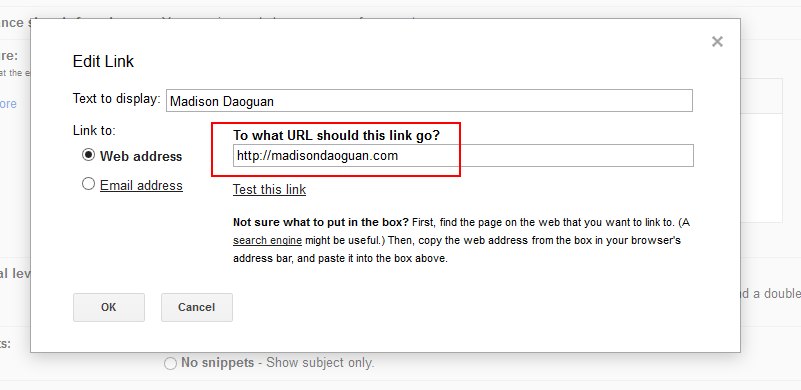
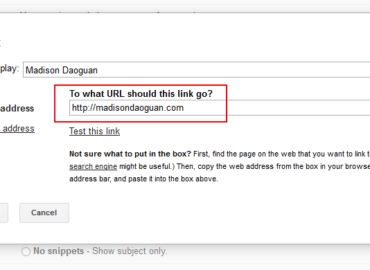
      Highlight what you want to be a link and click the link button (click image below to see bigger):
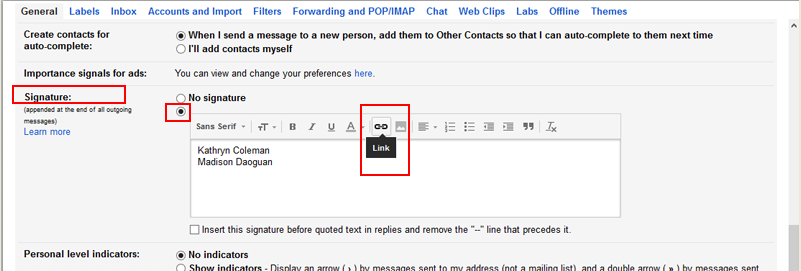
      Where to find the link button in Gmail Signature
    4. Add your URL  and click OK
      Where to put in the URL for a hotlink in Gmail Signature
      1. The text should now be underlined.
        If you do not want two dashes before the signature click the box underneath too.
        How the link should look before you save it Gmail setting signature
    5. SAVE the signature at the bottom of the page
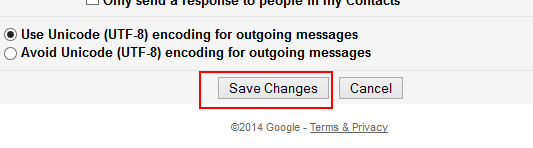
      gmail setting save button
    6. Compose a new email – your signature should be showing..
    7. To DELETE the signature, click the “No Signature” radio button, your work will be saved until when you want to use it again.


  • Past customer: The Rumpus Room

    Past customer: The Rumpus Room

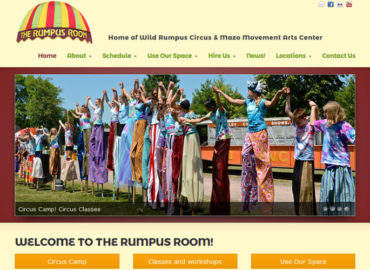
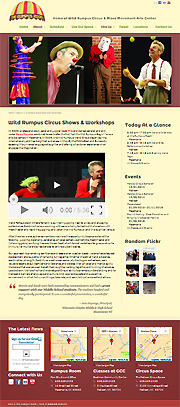
    Screenshot of website that has testimonials, video, Flickr, and events
    therumpusroom.org

    TheRumpusRoom.com

    A lot is going on at The Rumpus Room (Wild Rumpus Circus, Mazomanie Movement Arts Center, Jacob Mills and space rental) so this website needed a lot of features. Once the site was moved and redesigned, site owner Marcia Mequelon took over each aspect of the website content.

    • event management
    • classes and event calendar
    • register for classes via Paypal
    • testimonials
    • Flickr slideshows
    • videos
    • social media links
    • newsletter sign up via Constant Contact
    • several class locations

    Responsive? Yep (Striking theme)
    Client Since: 2011-2019
    Repeat Business: This site was moved to WordPress in 2014 (previous site: mazomac.com)
    Referred by:  Jacob Mills (client)

    [testimonialswidget_widget tags=”zzCircus” random=true paging=false]
  • Website for Articles ~ Center for Healthy Thinking

    Website for Articles ~ Center for Healthy Thinking

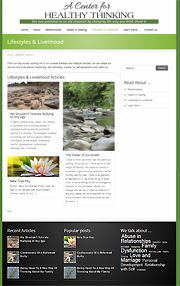
    Screenshot of masonry presentation of blog articles
    healthythinking

    CenterForHealthyThinking.com

    A WordPress site is for a discussion group that had been meeting for awhile. They wished to publish articles by several authors which support the notion that “thoughts shape attitudes”. The non-commercial self-empowerment website is structured using blog categories to enable site visitors to find articles that would be of most interest to them.

    Content is king. There was little SEO work done on this site, yet their articles have had amazing position on SERPS.

    Responsive? Yes, of course
    Client since: 2014
    SSL? Yes
    Referred by: internet search

    [testimonialswidget_widget tags=”zzThinking” random=true paging=false]
  • Heartspace Coaching ~ Website for Therapist

    Heartspace Coaching ~ Website for Therapist

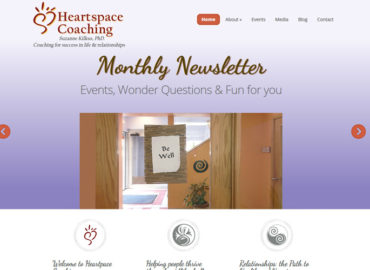
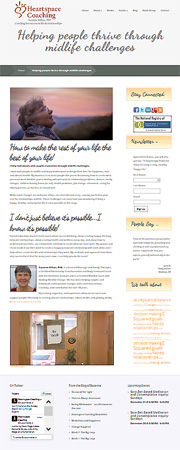
    Screenshot of Suzanne Kilkus page includes events, blogs, forms, testimonials
    Suzanne Kilkus

    HeartSpaceCoaching.com

    Suzanne Kilkus, PhD is a therapist life coach who helps people work through issues of change. Her long standing website had a WordPress blog and now the entire site and was moved into WordPress with a fresh new theme.

    The Heartspace Coaching newsletter serves an energy engine. Each month it prompts new content across her web assets.

    • Newsletter published via Constant Contact
    • New blog article published and added to home page slider
    • Events added to the website
    • “I recommend” and “Just for fun” sections updated
    • Social media posts for the month written and scheduled
      (Facebook, Google+, Twitter, LinkedIn)

    Client since: 2010
    Responsive? Yes (Nimble Theme)
    This site was redesigned in 2014 (see previous)
    Suzanne stopped taking on patients in 2019 and now has a personal blog (see new)

    [testimonialswidget_widget ids=”2016,1694,1607,1197,1301,1168,1302,1303,1304″ random=true paging=false]
    Deb Vandenbroucke, web designer with site owner Suzanne Kilkus, Heartspace Coaching
    Good Sites for Good People
  • Display side and footer widgets in mobile version Elegant Themes

    Display side and footer widgets in mobile version Elegant Themes

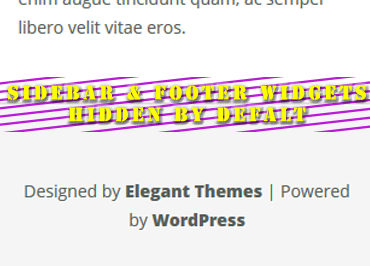
    Elegant Themes are wonderful but Epanel does not provide an option to display or hide sidebar and footer widgets for mobile. The default is to hide so you have to figure out how you unhide them each time you use a responsive theme by Elegant.

    Add this to your CSS:

    /* display sidebars and footer in Nimble or Trim theme  */
    @media only screen and (max-width: 767px){
    #sidebar, #footer-widgets {
    display: block !important;
    }
    }
    @media only screen and (max-width: 479px){
    #sidebar, #footer-widgets {
    display: !important;
    }
    }
    /* end display sidebars for Elegant themes */

    Here is the support post answer for Nimble theme: Keep Widgets on Mobile Site

    Above I added  !important for both and for 767 portal added #footer-widgets.


  • How to make Adobe Pro default instead of Reader on Windows 8

    How to make Adobe Pro default instead of Reader on Windows 8

    If you landed here it is because you have tried

    • Explorer > right click on .pdf file > set default to Adobe Pro
    • control panel > default programs > .pdf > set default to Adobe Pro
    • swipe right edge > settings >change PC settings > search and apps > defaults > choose default > change to Adobe Pro

    You have looked at videos and http://windows.microsoft/en-us/windows-8/choose-programs-windows-uses-default

    All that (and more) – and it DOES.NOT.WORK.

    Answer is – Uninstall Adobe Reader App that came with your computer. DONE!

    • It will not affect your web browsing for .pdfs and it will allow Adobe Pro to be the default.

    Yeah, It doesn’t seem right to uninstall a newer app but if you want your documents to open in Pro, this tip will get it done.

  • Gravity Forms First Last Name Fields in Separate Lines

    Gravity Forms First Last Name Fields in Separate Lines

    In a widget, Gravity Forms name fields need full width

    How do you get first name and last name to be vertical instead of horizontal? When you are integrating with a mailing list you must have the advanced name field to map to MailChimp’s or AWeber’s database.

    Gravity forms premium support is fantastic but sometimes you don’t want to ask for help, so here is the CSS for first name and last name in a sidebar widget. The change will apply to ALL forms,  to apply to a specific form change .gform_wrapper to something like #gform_wrapper_1. Gravity forms applies a number to each form.

    .gform_wrapper .ginput_complex .ginput_right {
    float: none !important;
    width: 100% !important;
    }
    .gform_wrapper .ginput_complex .ginput_left {
    float: none !important;
    width: 100% !important;
    }

    In a widget, the email address is also too narrow in this form. To make the email field 100% width for Gravity form number 2 only (change to your form’s appropriate number):

    #gform_2 .ginput_container input.medium {
    width: 95% !important;
    }

  • How to Delete a WordPress site without Fantastico

    How to Delete a WordPress site without Fantastico

    Hostgator used to have Fantastico and now they have their own tool called QuickInstall. If you try to delete a WordPress install, the new tool does not recognize your website installed with Fantastico.

    Here is the best YouTube I found to simply explain How to Manually Delete a WordPress Site because Fantastico is no longer available for the most part.

    A few words from a forum about QuickInstall on Hostgator.

  • Hostgator PHP update to 5.4 gives Internal Server error 500

    Hostgator PHP update to 5.4 gives Internal Server error 500

    Some WordPress plugins require you to advance your website from 5.2.xx. If you don’t you might get the WHITE SCREEN OF DEATH which is harrowing.

    Hostgator’s Support site (this page)  gives the advice to modify .htaccess as follows:

    “PHP 5.4 is available on all Shared and Reseller hosting accounts by adding the following code to your .htaccess file:”

    • # Use PHP 5.4
      AddType application/x-httpd-php54 .php

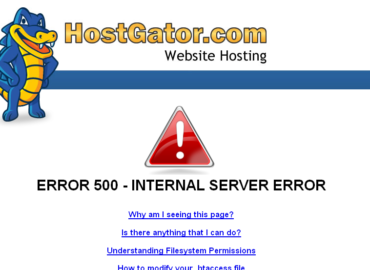
    This works about 50% of the time and the other sites give Error 500 INTERNAL SERVER ERROR. yikes!

    To upgrade then requires an online chat call with Hostgator. They are awfully nice about helping with it.  But today I was told that PHP 5.4 is NOT on all servers. If you try installing 5.3 instead you might have better luck and avoid the 20+ minutes a chat session can take.

    • # Use PHP 5.3
      AddType application/x-httpd-php53 .php

    Where do you put that? At the top of the file will do nicely.

    It’s odd that one of my NEW clients – installed in 2013 – was running on 5.2 – kind of disappointing, ‘gator.

    BTW for Bluehost you can update via php.config but that’s another story.

  • cPanel 301 redirects not working for WordPress

    cPanel 301 redirects not working for WordPress

    Like many hosts, Hostgator provides cPanel to control your website. Included in cPanel is a nice tool to add 301 permanent redirects. These are added to your .htacces file for you – nice. This is handy for many reasons but I commonly need it when converting an HTML site to WordPress.

    How long should it take 301 redirects to work on a WordPress website? It should work right away but it will take Google awhile to catch up.

    The problem:  Sometimes the 301 permanent redirects works, sometimes they do not.

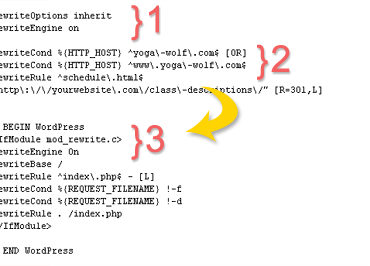
    The solution:  Make the page redirects appear BEFORE the WordPress setup (see featured image above). And be sure ReWrite Engine is turned on.

    A simple fix to get your redirects to work on Hostgator and other web hosts.