Tag: Email Signature

  • How to Add or Update Email Signature Gmail

    How to Add or Update Email Signature Gmail

    By request from a web client, here is how to update or add an email signature with a text hot link (hyperlink). If you would like an image link in Gmail, it is not hard but Gmail adds an annoying border around it. Here’s my trick on how to get rid of that.

    1. Log into Gmail
    2. Hover over the gear link in upper right and choose Settings:
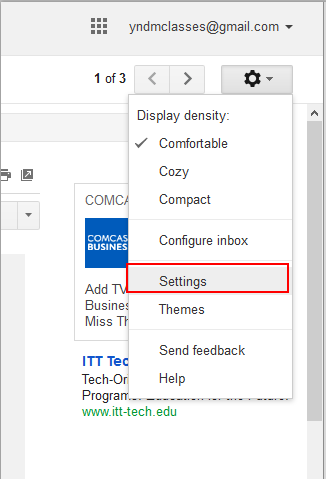
      How to get started with Gmail Signature gear then settings
    3. Scroll down to Signature section.  Click the radio button to enable signature
      Compose your signature.
      Highlight what you want to be a link and click the link button (click image below to see bigger):
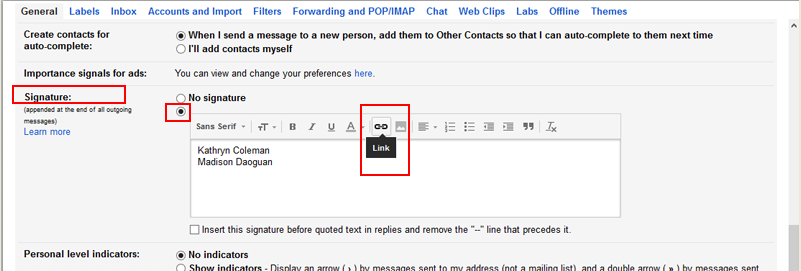
      Where to find the link button in Gmail Signature
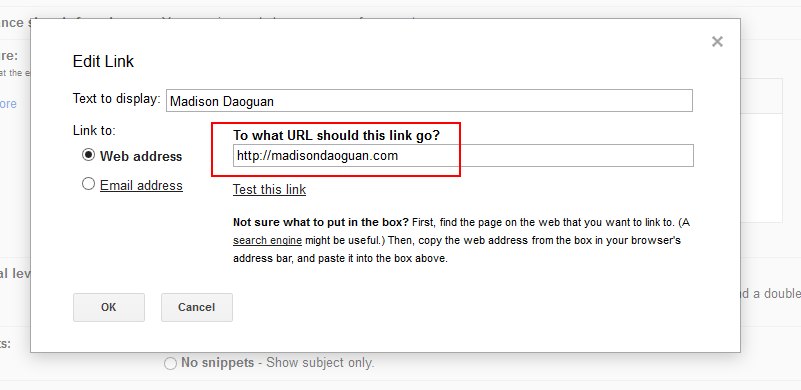
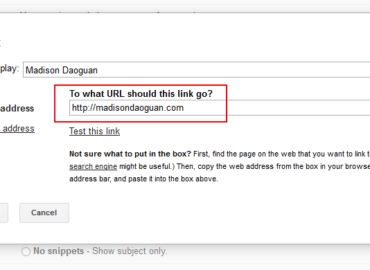
    4. Add your URL  and click OK
      Where to put in the URL for a hotlink in Gmail Signature
      1. The text should now be underlined.
        If you do not want two dashes before the signature click the box underneath too.
        How the link should look before you save it Gmail setting signature
    5. SAVE the signature at the bottom of the page
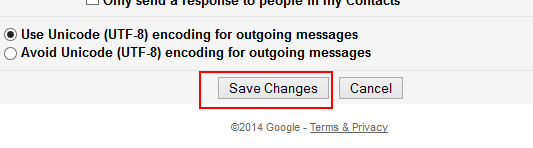
      gmail setting save button
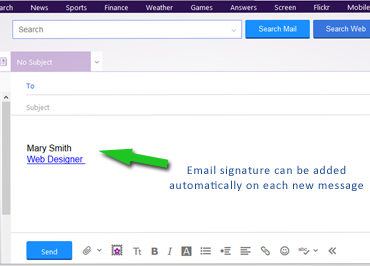
    6. Compose a new email – your signature should be showing..
    7. To DELETE the signature, click the “No Signature” radio button, your work will be saved until when you want to use it again.


  • How to Add or Update Email Signature Yahoo

    How to Add or Update Email Signature Yahoo

    Yahoo email went through an update in 2013. By request from a web client, here is how to Update or add an email signature with a hot link.

    1. Log into Yahoo Mail
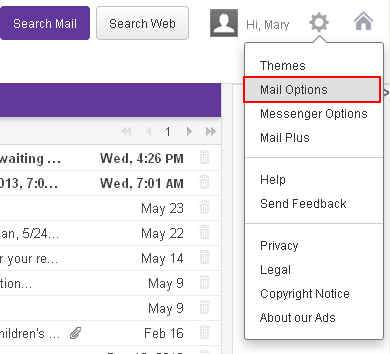
    2. Hover over the gear link in upper right and choose Mail Options:
      New Yahoo email menu
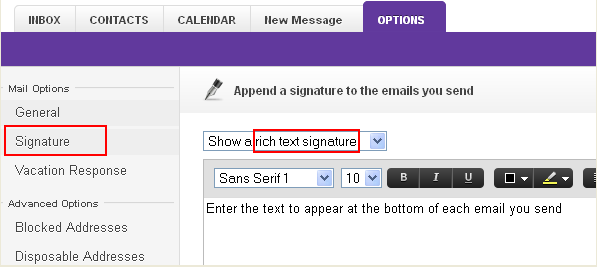
    3. In left menu choose Signature.  If you want a working link chose “Show a rich text signature“:
      Trick to make a hot link to your yahoo signature at the bottom of email
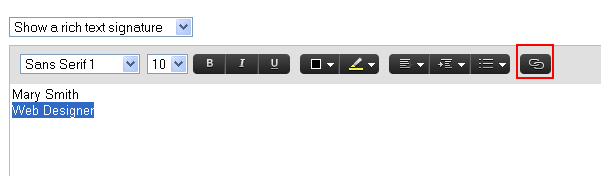
    4. Compose your signature. (The default text seems huge so you might want to adjust the font size. )Highlight the text that you want to be a hot link and click the link icon:
      Add hyperlink to Yahoo email signature
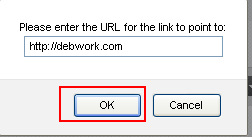
    5. Add your URL  and click OK
      the URL enter screen - yahoo email signature
    6. SAVE the signature
      SAVE button for yahoo email signature
    7. Compose a new email – your signature should be showing. If it is not, go back and SAVE the signature again (this happened to me). Two times was the charm.Yahoo email signature should show when you are composing the message
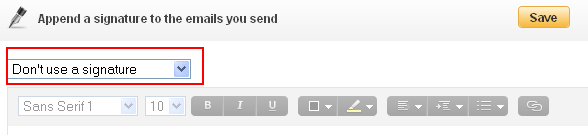
    8. To DELETE the signature, it is not good enough to remove the text and save, you have to chose the “Don’t use a signature” before you SAVE.You can't just blank out signature, you need to use this setting then save


  • Gmail Signature Add Icons No Border

    Gmail Signature Add Icons No Border

    How to Add Icon links to your Google Signature

    and remove the horrible blue border.

    I pieced this together from various sources.  Google does not provide a way to add html to your gmail signature. If you are not a geek who uses FireFox Firebug, you may as well stop reading now. If you just want an simple text signature with textual link (hotlink, hyperlink) – here is lesson #1.

    The problem: Thick blue border around your social icons in Gmail Signature:Google CSS adds 4 or 5 px border around images in gmail signature.

    #1 ADD ICON IMAGE to your Google Signature

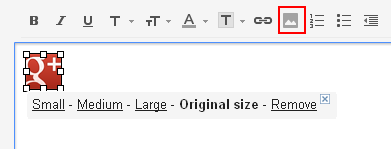
    This is pretty straight forward except you need to find an image to link to and it would be best if it was on your own web host. Click the image link, add the URL to the image.

    gmail signature add image tool

    #2 ADD LINK to the icon in your Google Signature

    The only tricky part to this is that the icon image must be clicked so you can see the small-medium-large choices underneath it and sometimes the outline in my screenshot does not show. If small-medium-large is not showing, the link tool will not work. Click on image so you see small-medium-large then click on the link tool above and add the URL link.

    Shows how you need to see small-medium-large under image in order to attach the link

    #3 REMOVE BORDER from the image in your Google Signature

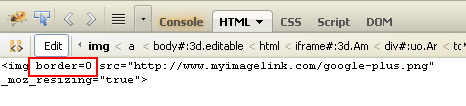
    Click on image so you see small-medium-large then click on the linkvtool above and add the URL link. Turn on FireFox Firebug>edit the IMAGE (css on  the <a> will not work.) and added “border=0″

    Shows how Firefox Firebug looks when you are editing

    #4 SAVE and TEST

    You will be surprised that this works (April 2013) because for some reason Google will save the Firebug html change even though it does not provide a way to do it within its own tool. Of course things change pretty fast around here.

    Good luck.